

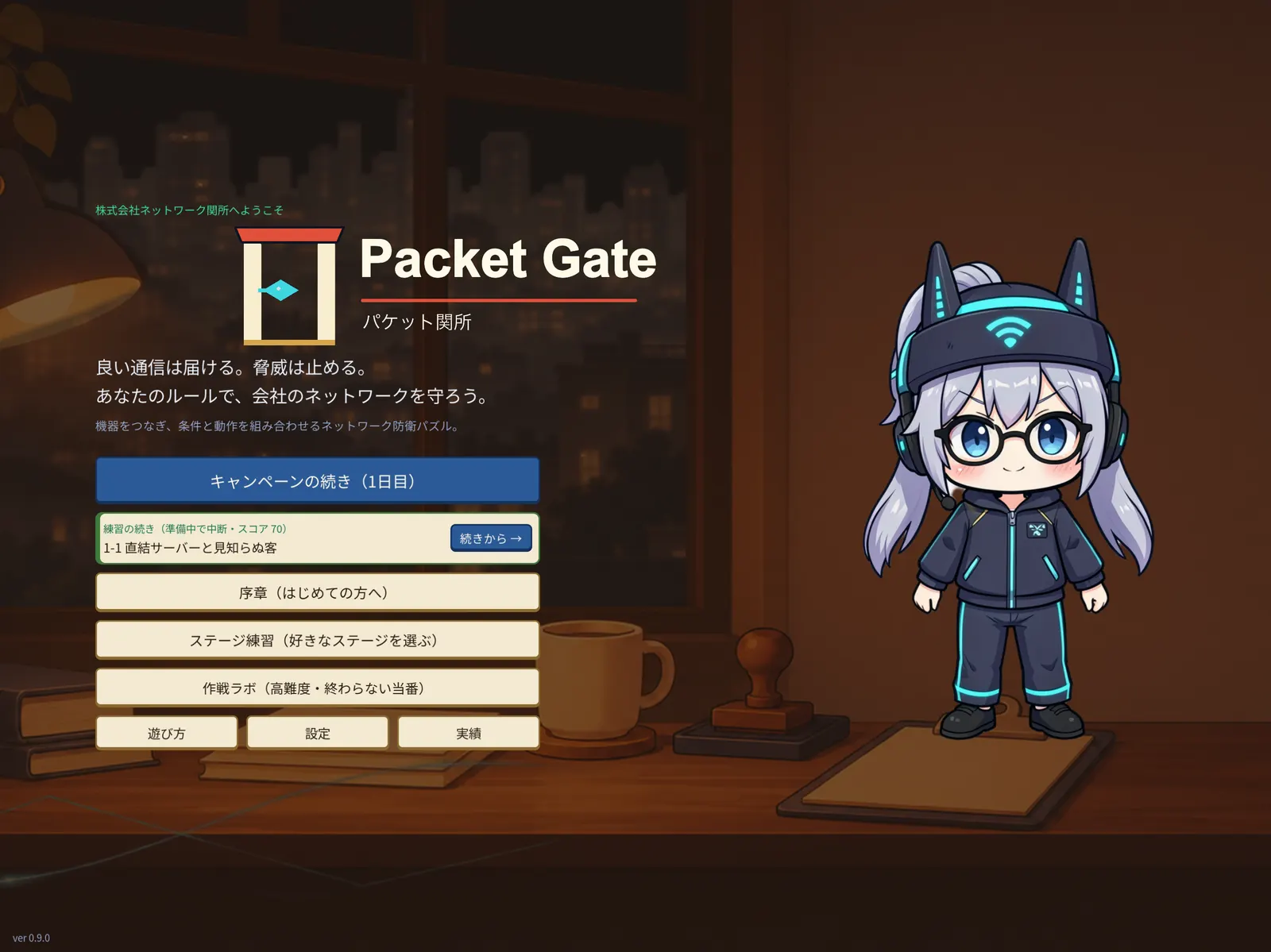
A desk in a night-time office. A gate stops red attack packets while a blue legitimate packet passes through, and a senior colleague gestures toward it

Packet Gate Network Defense Puzzle

Let real traffic in.
Stop only the attacks.

Place firewalls and WAFs on the line, write rules, and build the gate that guards a company network — a puzzle game for iPad.

  • First 18 stages free
  • iPad
  • No ads
  • Offline
  • English / 日本語

● Coming soon to the App Store We'll announce the release here and on X. A Mac version is in the works.

About

You're the network admin of a small company

Packet Gate is a puzzle game about the gate between the internet and a company's servers. Place devices, wire them up, and write "condition → action" rules so that only the right traffic gets through. When the shift starts, customers and attackers arrive together. Traffic flows in real time, and you can pause and fix your setup at any moment.

Across the campaign you pick up the ideas real network defenders use: firewall basics, DNS abuse, back doors opened by remote work, data leaking out, and hijacked office PCs. No networking knowledge needed — the prologue introduces each device one at a time.

  • Let legitimate traffic inCustomers browsing, staff email, partners connecting
  • Stop the attacksPort scans, floods, infected attachments, data exfiltration
  • Don't block too much — or jam the lineEvery device has a capacity and a running cost. Build the right gate on your budget

How to play

How to play — one shift, five steps

Each stage is one working day at the company. Read the forecast, place devices, write rules, run the traffic, then review the result.

  1. PLACE & WIRE

    Read the forecast, place devices, wire them up

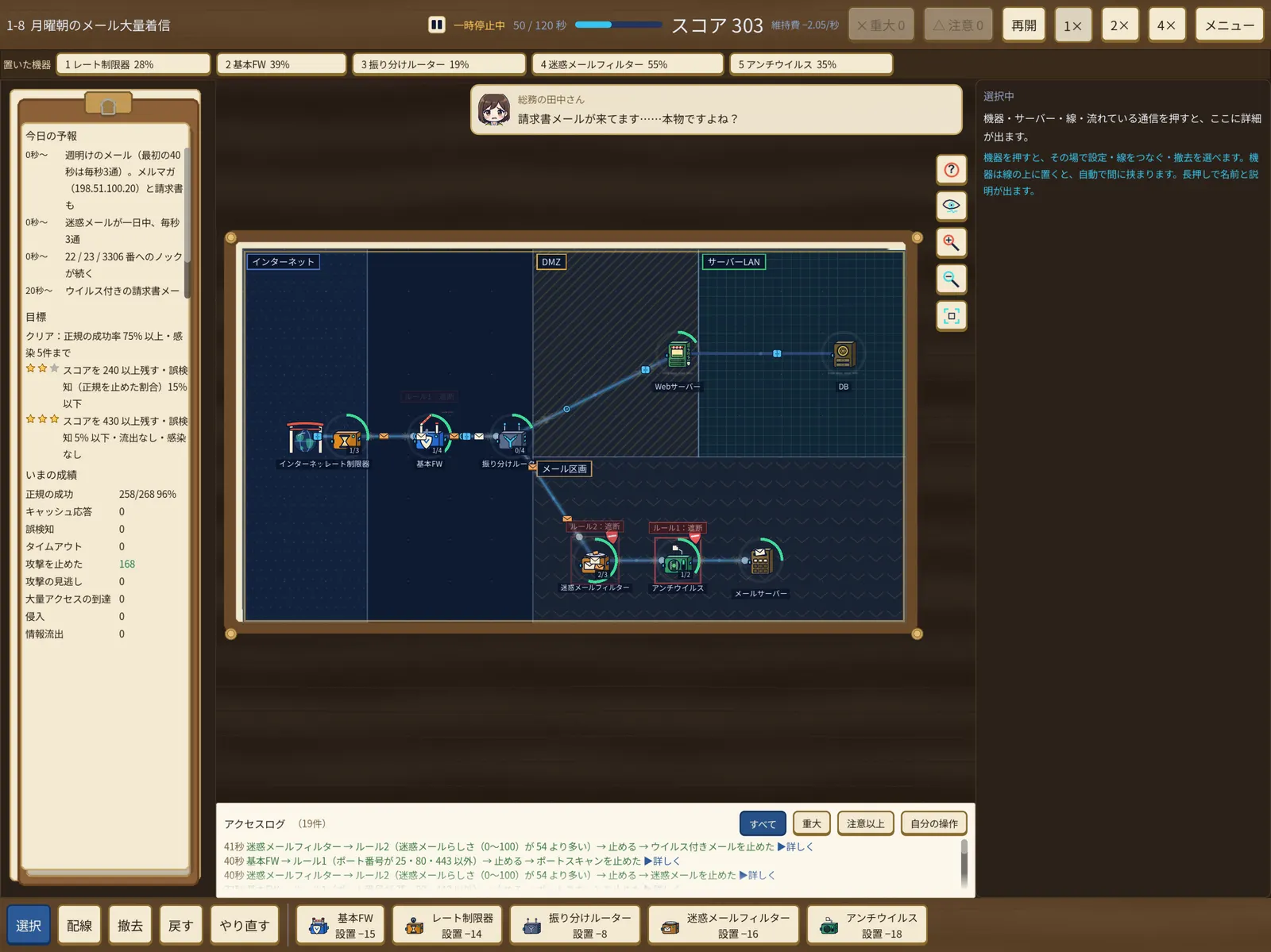
    Today's Forecast on the left tells you what traffic and which attacks arrive, and when. Pick a Basic FW, Rate Limiter, Branch Router, Spam Filter and more from the bar at the bottom, then wire them from the internet to your servers. Drop a device onto a line and it slots in automatically.

    The board is split into zones — Internet, DMZ, Server LAN — so where you put each device matters too.

    Stage 1-8, The Monday Morning Mail Rush: a rate limiter, firewall, router, spam filter and antivirus wired together, handling mail and attacks
    1-8 "The Monday Morning Mail Rush" — five devices handling mail and attacks (Japanese UI shown)
  2. WRITE RULES

    Write "condition → action" rules

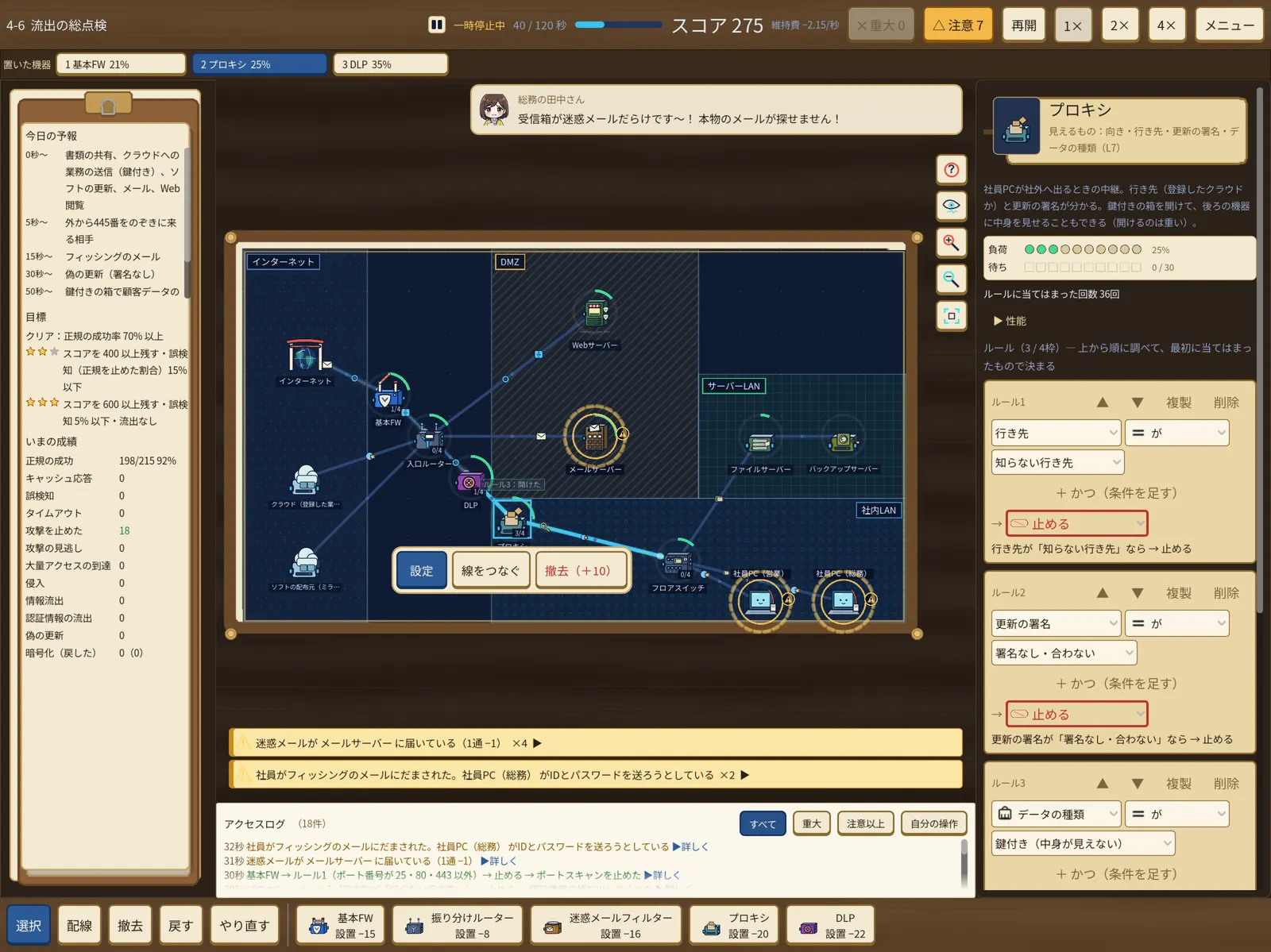
    Tap a device to open its rule card. Rules are checked top to bottom, and the first one that matches decides — the same way real firewalls and ACLs work.

    • Port is not 25, 80 or 443 → Block
    • Spam score is above 54 → Block
    • Update signature is missing or doesn't match → Block
    • Destination is unknown → Block
    Stage 4-6, The Leak Inspection: a proxy's rule card is open, with rules that block by destination, update signature and data type
    4-6 "The Leak Inspection" — a proxy blocks unknown destinations and unsigned updates
  3. RUN THE SHIFT

    Start the shift and fix things as they happen

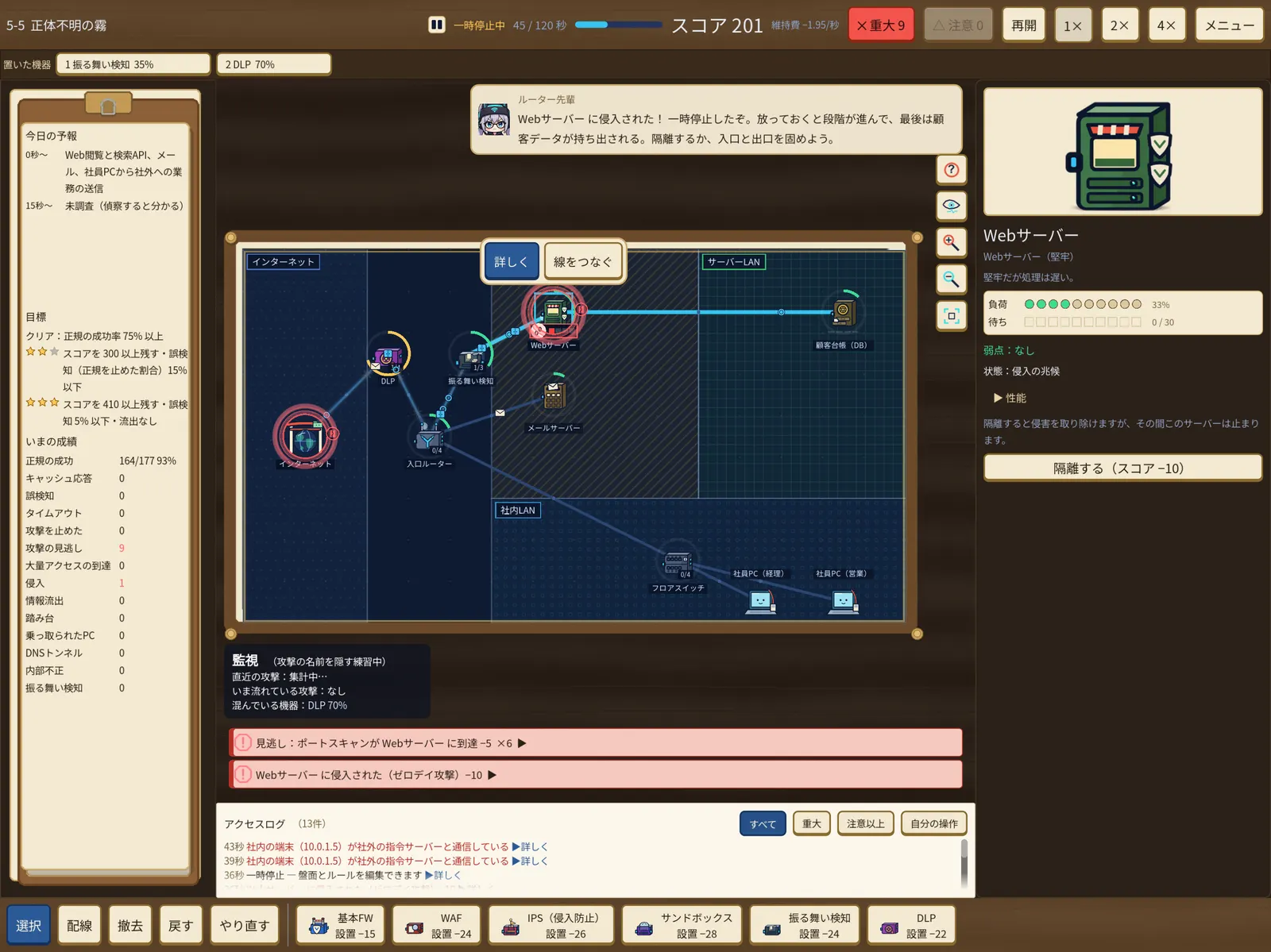
    Hit Resume and legitimate traffic and attacks start flowing together. Play at 1×, 2× or 4× speed and pause at any moment to change rules or add devices.

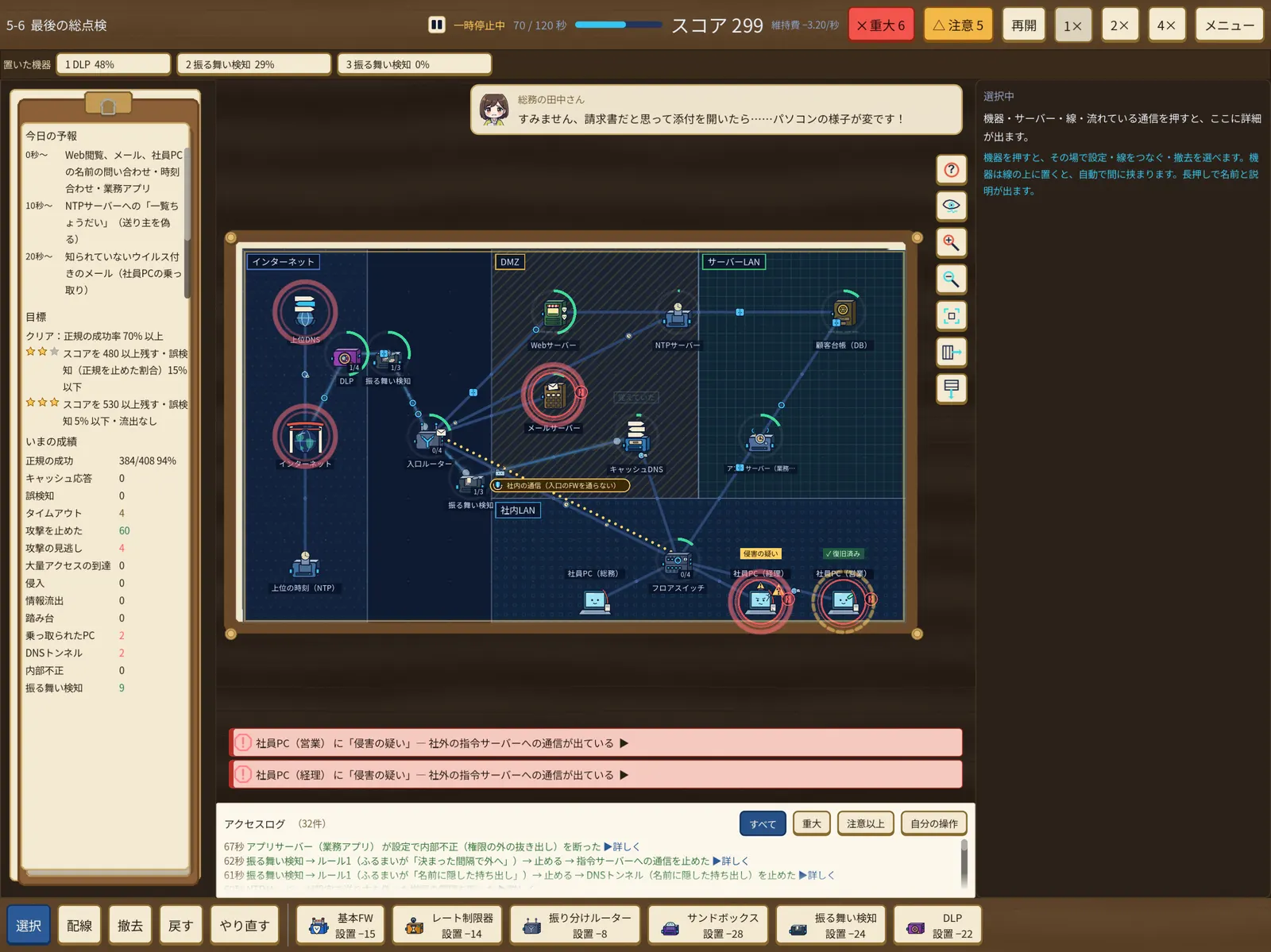
    The Access Log shows which rule on which device stopped what, while staff messages and alerts come in. In later chapters you face hijacked office PCs and attackers you can only spot by their behavior.

    A Chapter 5 board with a warning about a hijacked office PC
    Chapter 5 — a warning about a hijacked office PC
  4. REVIEW

    Check the result, then replay to find the cause

    At the end of the shift you get your legit success rate, false positives, missed attacks and a 1–3 star rating. Star conditions such as "keep 430+ points, false positives under 5%, no leaks" are visible from the start, so you can aim for them.

    On a bad day, the replay shows exactly which packet got through, and by which path.

    A three-star perfect result for a Chapter 3 stage, with a graph of traffic over the shift
    A three-star result with a graph of the whole shift
  5. INVEST

    Upgrade in the lobby and move on to the next day

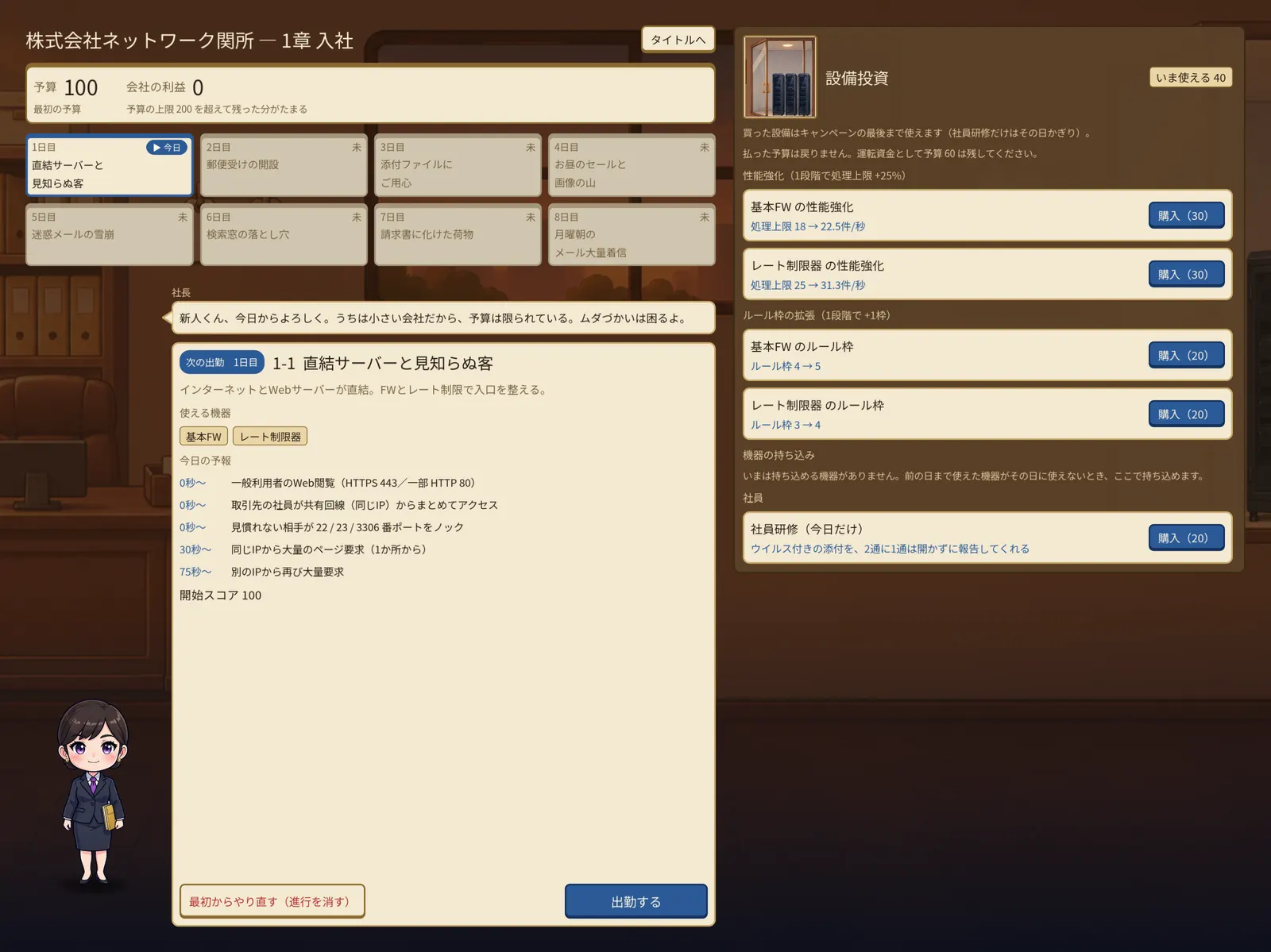
    In the campaign your budget and equipment carry over from day to day. In the lobby of Network Checkpoint Inc. you can spend on more device capacity, more rule slots, or staff training. Where you put your money is part of your defense.

    The company lobby: the list of days in Chapter 1, the next day's forecast, equipment investments and the company president
    The lobby — days, the next forecast, and Equipment Investment
Delivered
Legitimate traffic reached the server. Your success rate goes up
False positive
You blocked legitimate traffic — a sign you're too strict
Missed attack, intrusion, leak
An attack got in or data got out — a sign you're too loose
Timeout
A device jammed and waiting customers gave up

Campaign

A prologue and five chapters — 36 stages

Every chapter brings new attacks and new devices. The prologue and Chapters 1–2 (18 stages) are free.

  • FreePROLOGUE

    Prologue

    Learn one device at a time: placing, wiring and writing rules.

  • FreeCHAPTER 1

    New Hire

    Firewalls, rate limits, load balancing, caching and WAF basics.

  • FreeCHAPTER 2

    Names and Addresses

    DNS amplification and forged answers — attackers who abuse how names work.

  • FullCHAPTER 3

    The Admin Back Door

    VPN for remote work, jump hosts and password brute force.

  • FullCHAPTER 4

    Leaks

    Outbound traffic, fake updates and ransomware. The entrance isn't the only thing to guard.

  • FullCHAPTER 5

    The Unknown

    Hijacked office PCs, and attackers you can only spot by behavior.

After the campaign

The shift never really ends

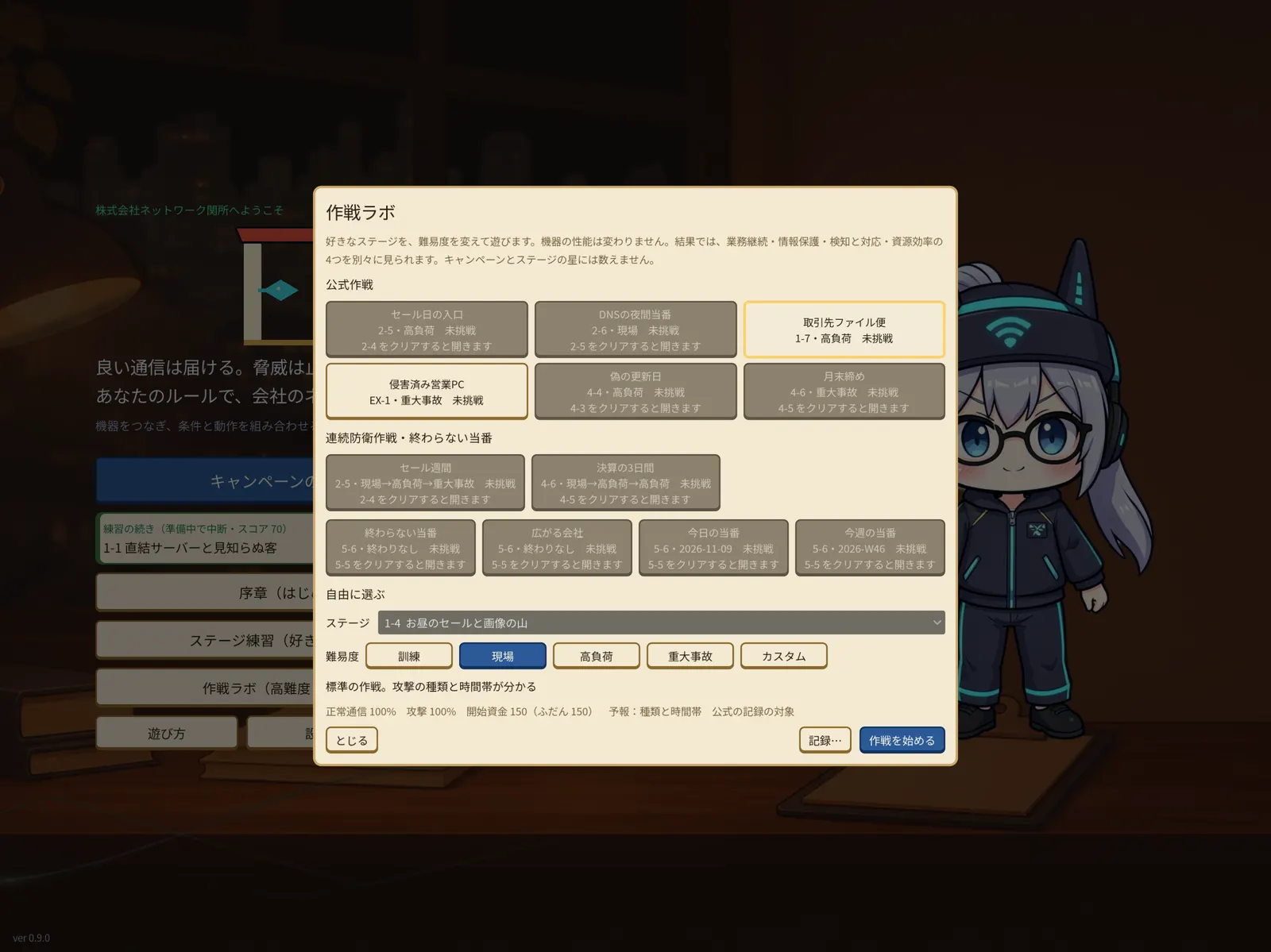
Ops Lab: official operations, back-to-back operations and difficulty settings

Ops Lab, Special Drills, Back-to-back Operations

Replay stages under new conditions and get rated on Business Continuity, Data Protection, Detection & Response and Resource Efficiency. Back-to-back Operations ask you to hold the line for several days in a row.
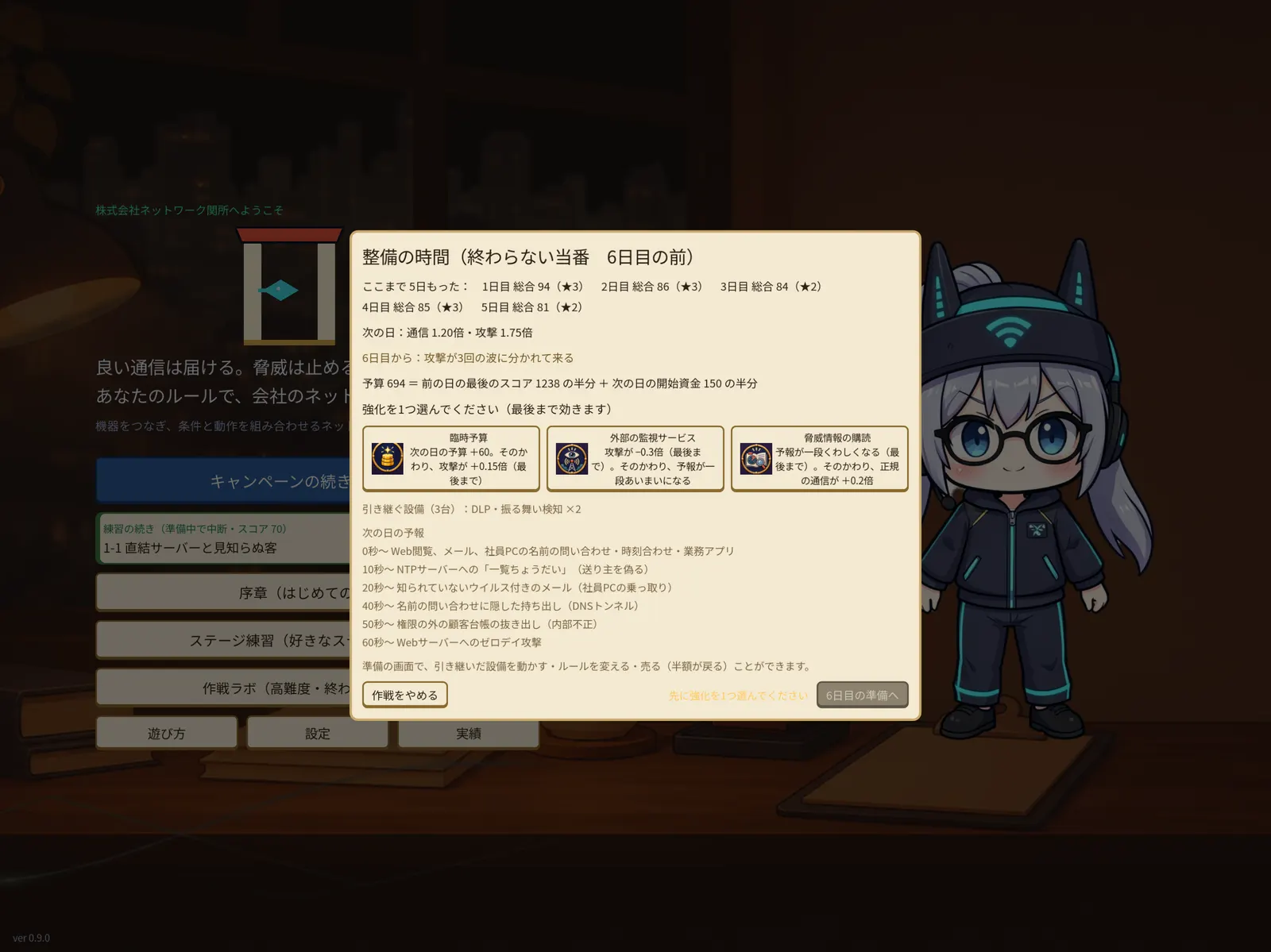
Endless Duty maintenance: results so far, the next day's forecast and a choice of three upgrades

Endless Duty

Keep your setup and defend day after day to see how long you last. Attackers watch how you defend and change tactics. Between days, pick one of three upgrades.

Screenshots

Screenshots

Actual iPad (13-inch) screens with the Japanese UI. The game can be switched to English in Settings. Tap to enlarge.

Features

Made for you if…

  • You love logic puzzlesRule order and conditions decide everything — the satisfaction of filtering exactly the right traffic.
  • You're curious about networks and securityLearn what firewalls, WAFs, DNS, VPNs and DLP actually do by using them.
  • You like to think it throughReal time, but pause whenever you want. Take all the time you need.
  • You play with your fingersPress and hold for details, two fingers to zoom and pan. A keyboard works too.
  • You need accessibility optionsText size, color vision support and reduced motion.
  • You want peace and quietNo account, no ads, offline. Your saves stay on your device.

Price

What's free, and the full version

Free

$0

  • Prologue, Chapters 1–2 (18 stages)
  • Ops Lab on those stages
  • No ads

Full version

$9.99one-time in-app purchase (¥1,500 in Japan)

  • Chapters 3–5 (18 stages)
  • Special Drills, Back-to-back Operations, Endless Duty
  • Family Sharing supported. Restore Purchases in Settings

Details

NamePacket Gate: Network Defense (Japanese title: Packet Gate - ネットワーク防衛パズル)
GenreNetwork defense puzzle, strategy (real time with pause)
PlatformiPad (iPadOS 17.0 or later, landscape). Mac version in the works
Players1
PriceFree (Prologue, Chapters 1–2). Full version: one-time in-app purchase
LanguagesEnglish, Japanese (switch in Settings)
NetworkOnly to the App Store when buying or restoring. The game plays offline
ReleaseComing soon to the App Store
Developerblipdrop

FAQ

FAQ

What kind of game is Packet Gate?

A puzzle game where you place firewalls, WAFs and other devices on a company network, wire them up, and write "condition → action" rules so legitimate traffic gets through and only attacks are stopped. Traffic flows in real time, and you can pause and fix your setup at any moment.

Do I need to know about networking?

No. The prologue introduces each device one at a time, every stage has a forecast and hints, and replays show exactly what went wrong.

How much is free?

The prologue and Chapters 1–2 (18 stages), plus Ops Lab on those stages, are free. A single in-app purchase ($9.99 / ¥1,500) unlocks Chapters 3–5, Special Drills, Back-to-back Operations and Endless Duty. There are no ads.

Can I play on iPhone or Mac?

Packet Gate launches first on iPad (iPadOS 17.0 or later, landscape). A Mac version is in the works. An iPhone version is not planned.

Does it work offline? Do I need an account?

It works offline and needs no account. The only network access is to the App Store when you buy or restore the full version. Saves stay on your device.

When can I play it?

Packet Gate is being prepared for release on the App Store. We will announce it on this page and on X (@blipdropusx0).

More questions or a bug to report? See Support.